Procurement
Procurement list
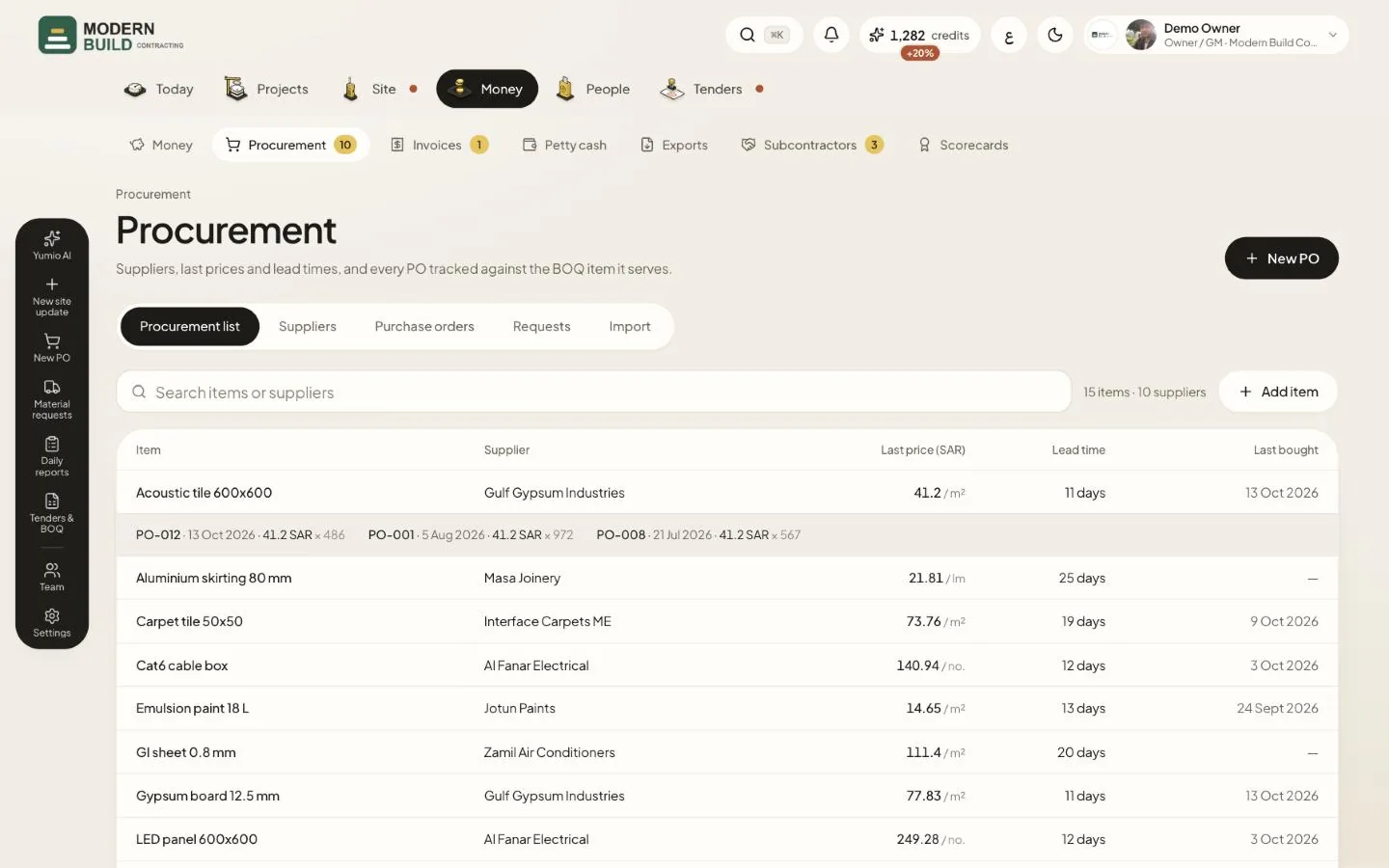
The procurement list is the company's price book: one row per item and supplier. Every PO you mark as ordered adds its prices here. Procurement is for the owner, project managers, QS, procurement and accountants; the accountant can read but not change.
Step by step
- 1Open Procurement in the Money tab. The Procurement list tab opens first.
- 2Type in the search box to find an item or a supplier, in English or Arabic.
- 3Press a row to open its price history: every PO that bought the item, with its date, rate and quantity.
- 4Press a name in the Supplier column to open that supplier's page.
- 5Press Add item to add a price by hand: supplier, item, unit, Unit price, lead time and Price date.
- 6To load many at once, open Import, press Download the template, fill in suppliers, the price list and POs, and upload it. Nothing is saved until you press Import.
What you see on the screen
- 7Lead time is the item's own lead time, or the supplier's usual one when the item has none.
- 8Last bought is the date of the last PO that bought the item.
More in this section: Procurement
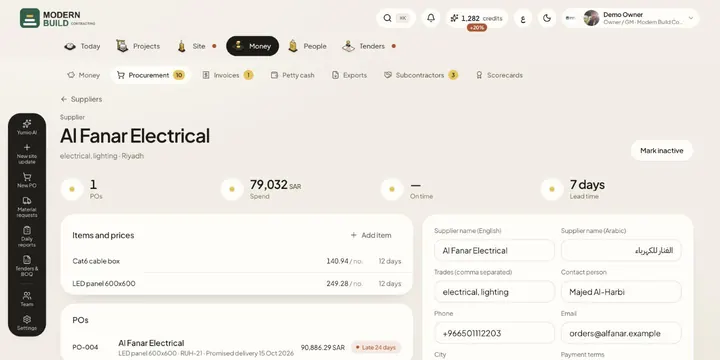 SuppliersKeep each supplier's details, prices and POs in one place, with their spend, on-time record and grade.
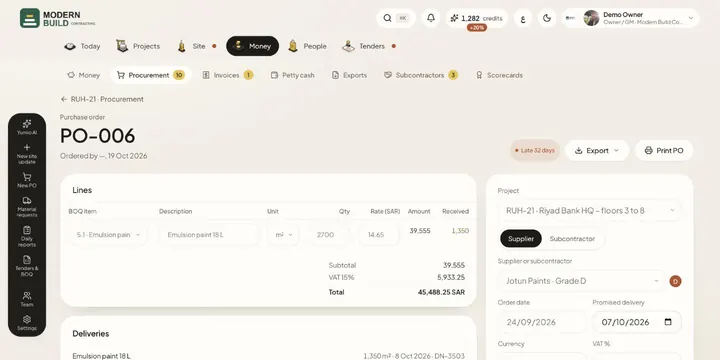 Purchase ordersRaise a PO against BOQ items, get it approved, then track it to delivery: in transit, partly delivered, late or closed.
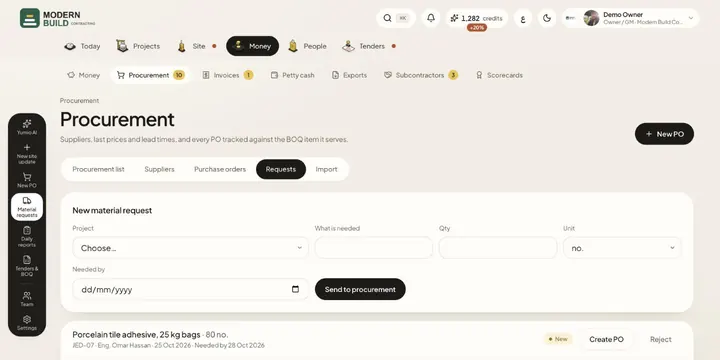 Material requestsAsk procurement for materials from site, and turn each request into a PO or reject it.
Still stuck?
Write to us in Arabic or English and we will help.