Today
Today
Projects overview is the first page you see after signing in. Owners and project managers use it to see where every project stands; site staff see the same page without the money figures.
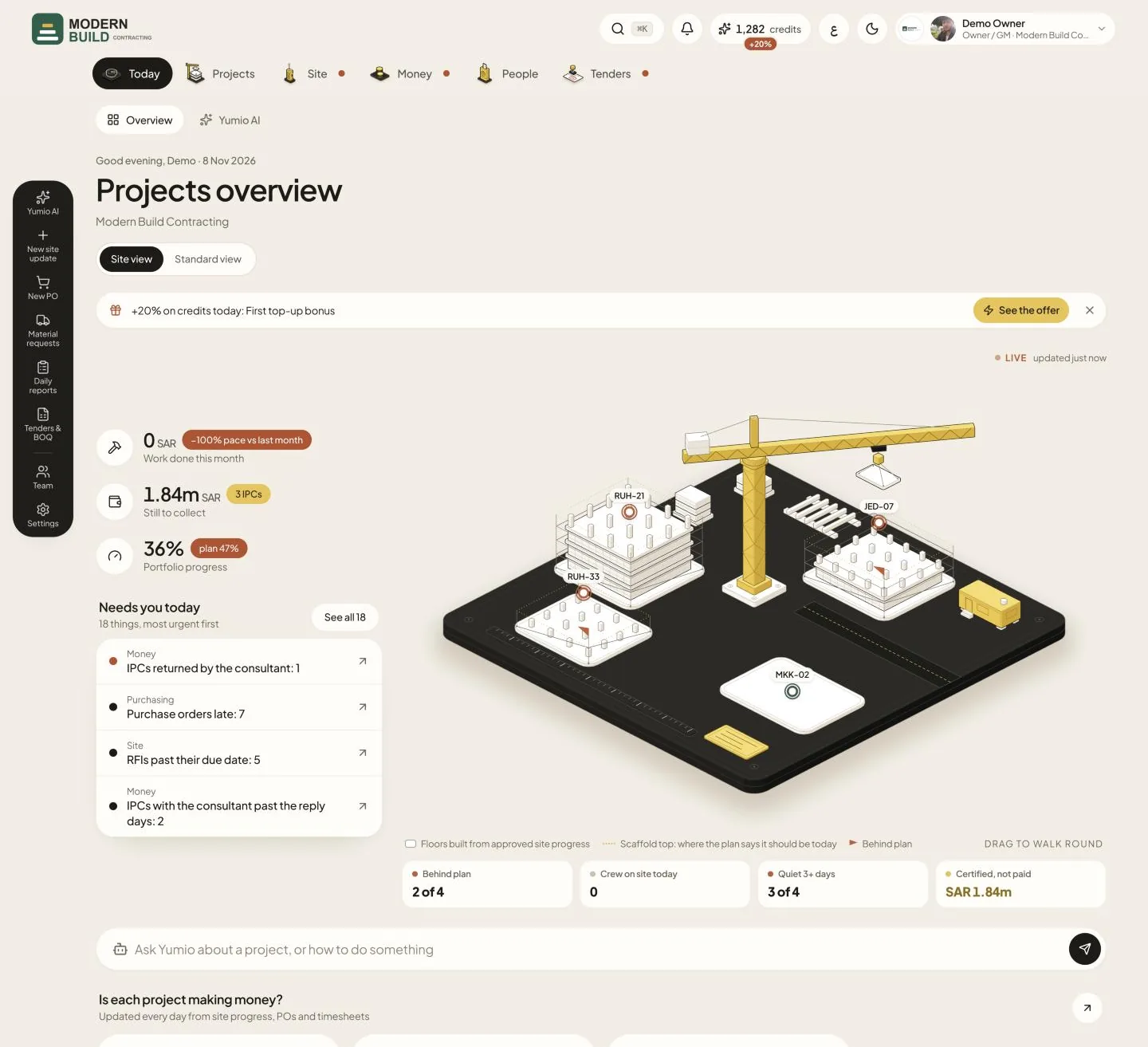
Step by step
- 1Choose how to see your projects: Site view draws one building per live project; Standard view shows the same numbers as cards and lists. Yumio remembers your choice.
- 2Read the headline figures: Work done this month, Still to collect and Portfolio progress. Press a figure to open the page behind it.
- 3Check Needs you today: the things waiting on you, most urgent first. Press one to go straight to it.
- 4Type a question in the ask bar, about a project or about how to do something, and press send. The Yumio chat opens with your question.
- 5Scroll down for the project cards under Is each project making money?, then Portfolio progress, Where the IPC money is, the Projects list and the latest from site. Press a project to open it.
What you see on the screen
- 6Work done this month is the value of approved site progress this month. Its badge compares this month's pace with last month's.
- 7Still to collect is what is still owed to you on the projects' IPCs; the badge says how many IPCs are open.
- 8Portfolio progress is the work done across all running projects; the badge is where the plan says you should be today (No plan yet when no project has dates).
- 9Each project card shows its margin now, against the tender's margin, with Earned, Costs, and the work done against the plan. The pill reads Losing money, Below tender or On target; the worst projects come first.
More in this section: Today
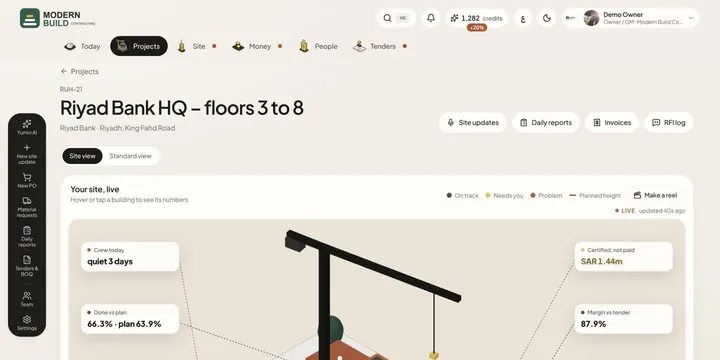 Site viewSee a project, or all your projects, as a live 3D site: buildings rise with the work done and their colour says what needs a look.
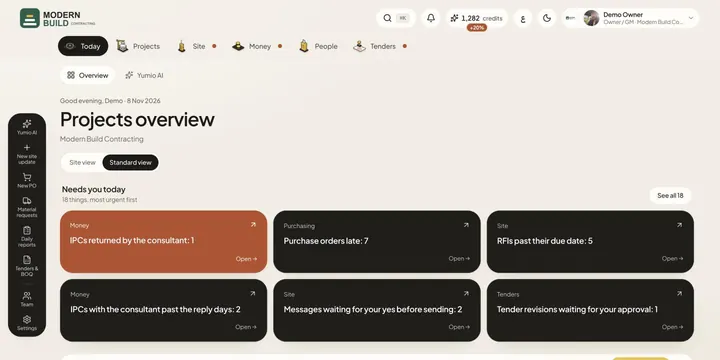 Needs you todayOne list of everything waiting on you across the company, most urgent first, each a tap away from the page where you deal with it.
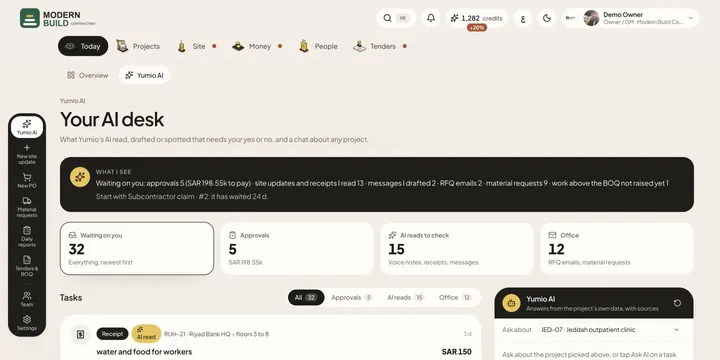 Yumio AIApprove or reject what Yumio's AI read, drafted or spotted, and ask the AI about any project, with answers from the project's own data.
Still stuck?
Write to us in Arabic or English and we will help.